Getting started
What is a consistency handling system ?
Question: “OK, I have understood that the Rougail stuff enables me to take advantage of Tiramisu. But what is all this for? What is exactly a consistency handling system? And again, what is this Tiramisu library used for?”
Answer: Well, let’s explain what Tiramisu is and how we are using the Tiramisu library.
- Tiramisu
Tiramisu is a consistency handling system that was initially designed in the configuration management scope. To put it more simply, this library is generally used to handle configuration options.
It manages variables and group of variables. In the Tiramisu scope we call it options and option descriptions.
In the Rougail scope, we call it variables and families. In Rougail, the families and variables are located in the dictionaries.
And this is what we are going to explain in this page.
The dictionaries
- dictionary
- dictionaries
A dictionary in the Rougail meaning is a YAML file that describes variables and their dependencies / consistencies. There can be a lot of dictionary files located in many different folders.
Rougail reads all the dictionaries and loads them into a single object that handles the variables consistency.
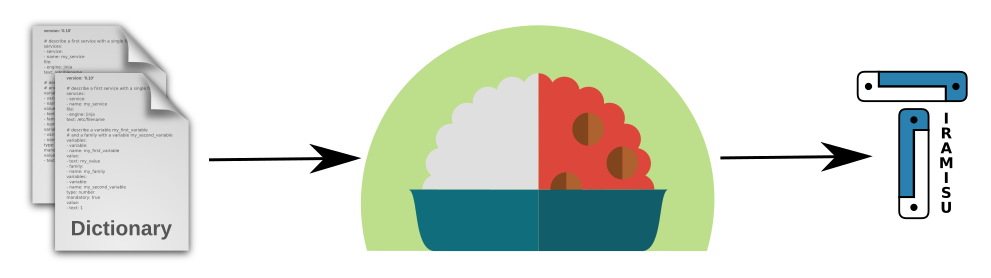
The main advantage is that declaring variables and writing consistency is a simple as writing YAML. It is not necessary to write Tiramisu code. It simplifies a lot of things.
And rather than writing Tiramisu code, we can declare variables and describe the relationships between variables in a declarative mode.
Once the dictionaries are loaded by Rougail, we find all the power of the Tiramisu configuration management tool.
The dictionaries YAML format
Before getting started with Rougail we need to learn the specifics of the YAML dictionaries file format (as well as some templating concepts).
Here is a dictionary example:
1 ---
2 version: '1.0'
3 proxy:
4   description: Configure Proxy Access to the Internet
5   type: family
Line 3, we declare a variable named proxy with his description line 4 and his type line 5.
The variables
variable
Here is a second definition of a variable: it is a declaration unit that represents a business domain metaphor,
the most common example is that a variable represents a configuration option in a application, but a variable represents something more that a configuration option. It provides a business domain specific representation unit.
Note
dictionaries can just define a list of variables, but we will see that we can specify a lot more. We can define variables and their relations, and the consistency between them.
In the next step, we will explain through a tutorial how to construct a list of variables.
Families of variables
A “hello world” with Rougail
We’re gonna make the simplest possible example.
Prerequisites
We assume that Rougail’s library is installed on your computer (or in a virtual environment).
Let’s make a Hello world
Here is the tree structure we want to have:
workplace
├── dict
│   ├── hello.yml
└── hello.py
Let’s make a
workplacedirectory, with adictsubfolder.First, we need a dictionary, so let’s make the
hello.ymlfile which is located in thedictsubfolder, with the following content:
hello.yaml file ---
version: '1.0'
hello:
default: world
Then we make a
hello.pyin our rootworkplacedirectory:
hello.py file from rougail import Rougail, RougailConfig
RougailConfig['dictionaries_dir'] = ['dict']
rougail = Rougail()
config = rougail.get_config()
print(config.value.get())
Let’s run the hello.py script
We launch the script:
python hello.py
And we obtain the following result:
{'rougail.hello': 'world'}
Congratulations ! You have successfully completed your first Rougail script.
A “Hello, <name> ” sample with a family
Let’s continuing on our “Hello world” theme and add a family container.
hello.yml file1 ---
2 version: '1.0'
3 world:
4 description: Hello world family container
5 name:
6 description: Somebody to say hello
7 default: rougail
Here, we have a family named world.
This family contains a variable named name
Again, let’s validate this YAML file against Rougail’s API:
python hello.py
We then have the output:
{'rougail.world.name': 'rougail'}